Skip to main content
Adding plugins
Installing Plugins
- Navigate to the Moodle plugins website (https://moodle.org/plugins/)
- Search for the plugin
- Download the latest version of the plugin, preferably matching the production version of Moodle
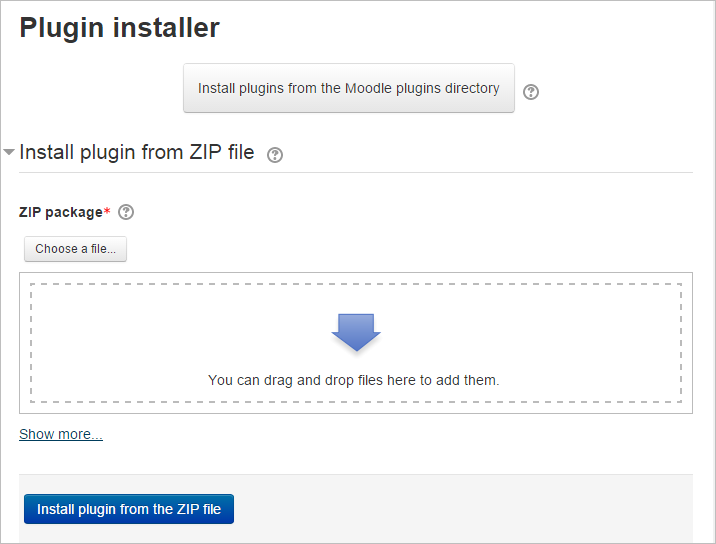
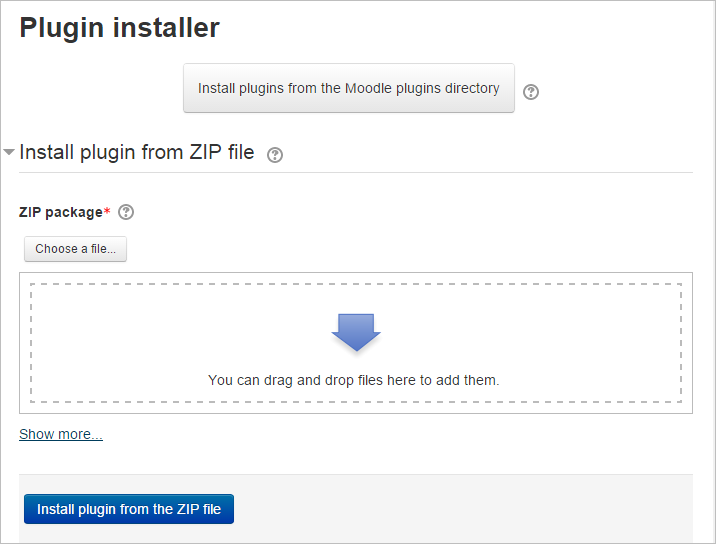
- Login to your Moodle site as an admin and go to Administration > Site administration > Plugins > Install plugins
- Upload the ZIP file. You should only be prompted to add extra details (in the Show more section) if your plugin is not automatically detected
- If your target directory is not writeable, you will see a warning message
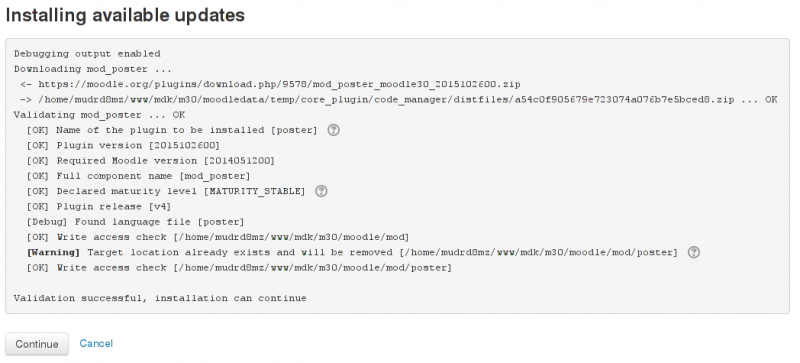
- Check the plugin validation report
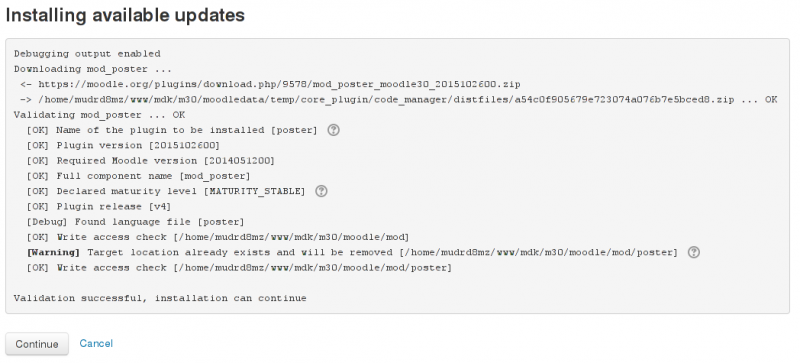
- Follow the prompts to complete