CentOS Server - Configs
Additional Configs For Server Applications
Config List
Config List
Configs List
Configs List
| √ | To Do | |
| 1 | Apache Virtual Hosts | |
| 2 | Let's Encrypt Certificates |
Configs
Configs
Apache Virtual Hosts
Virtual Hosts Folder Structure
- Entering on /etc/httpd/ path and create sites-available and sites-enabled directories
Enter httpd folder
==================
cd /etc/httpd/

Create necessary directories
============================

mkdir sites-available sites-enabled
Httpd.conf Changes
- Edit http.conf file and add the below directive line at the bottom of the file, which will make Apache read and parse all files located on /etc/httpd/sites-enabled/ ended in .conf extension
Open httpd.conf
===============

vi /etc/conf/httpd.conf

Add the below line
==================

IncludeOptional sites-enabled/*.conf
Create Enable/Disable Site Scripts
Enable Site Script
- Create the following file, a2ensite, in /usr/local/bin and add the script to it
Create file
===========

vi /usr/local/bin/a2ensite

Add the script
==============

#!/bin/bash
if test -d /etc/httpd/sites-available && test -d /etc/httpd/sites-enabled  ; then
echo "-----------------------------------------------"
else
mkdir /etc/httpd/sites-available
mkdir /etc/httpd/sites-enabled
fi

avail=/etc/httpd/sites-available/$1.conf
enabled=/etc/httpd/sites-enabled/
site=`ls /etc/httpd/sites-available/`

if [ "$#" != "1" ]; then
                echo "Use script: a2ensite virtual_site"
                echo -e "\nAvailable virtual hosts:\n$site"
                exit 0
else

if test -e $avail; then
sudo ln -s $avail $enabled
else

echo -e "$avail virtual host does not exist! Please create one!\n$site"
exit 0
fi
if test -e $enabled/$1.conf; then

echo "Success!! Now restart Apache server: sudo systemctl restart httpd"
else
echo  -e "Virtual host $avail does not exist!\nPlease see available virtual hosts:\n$site"
exit 0
fi
fi
Disable Site Script
- Create the following file, a2dissite, in /usr/local/bin and add the script to it
Create file
===========

vi /usr/local/bin/a2dissite

Add the script
==============

#!/bin/bash
avail=/etc/httpd/sites-enabled/$1.conf
enabled=/etc/httpd/sites-enabled
site=`ls /etc/httpd/sites-enabled/`

if [ "$#" != "1" ]; then
                echo "Use script: a2dissite virtual_site"
                echo -e "\nAvailable virtual hosts: \n$site"
                exit 0
else

if test -e $avail; then
sudo rm  $avail
else
echo -e "$avail virtual host does not exist! Exiting!"
exit 0
fi

if test -e $enabled/$1.conf; then
echo "Error!! Could not remove $avail virtual host!"
else
echo  -e "Success! $avail has been removed!\nPlease restart Apache: sudo systemctl restart httpd"
exit 0
fi
fi
Make The Scripts Executable
- Ensure both scripts are executable
chmod +x /usr/local/bin/a2*Create Virtual Host Configs
The Virtual Host Config File
- Create a new Virtual Host on sites-available location using a descriptive name
/etc/httpd/sites-available/test.lan.conf - Use the below file as a template (replacing
test.lanwith appropriate details
The template enforce the use of SSL (https connections to the site)
<VirtualHost test.lan:80>
        ServerName test.lan

        Redirect permanent / https://test.lan

</VirtualHost>

<VirtualHost test.lan:443>
        ServerName test.lan

        DocumentRoot "/var/www/test.lan"
        <Directory "/var/www/test.lan">

        Options Indexes FollowSymLinks MultiViews
        # AllowOverride controls what directives may be placed in .htaccess files.
        AllowOverride All

        # Controls who can get stuff from this server file
        Order allow,deny
        Allow from all

        </Directory>

        <IfModule mpm_peruser_module>
                ServerEnvironment apache apache
        </IfModule>

</VirtualHost>
Folder Structure
- Create the corresponding folder if the default path was changed
mkdir -p /var/www/test.lanRemember to create a corresponding DNS record to access the site in the Xneelo config console
Change folder and file ownership chown -R apache:apache /folder location/folder
Enable a Site
- Run the below commands one-after-the-other to enable a site
a2ensite rheltest.lan

systemctl restart httpd
Remember to issue a certificate for the site or else the site will be inaccessible
Configs
Let's Encrypt Certificates
Obtaining a Certificate
- Run the command below (replacing example.com with the actual domain details)
certbot --apache -d example.com - Follow the prompts of the application
- At the option, "Please choose whether or not to redirect HTTP traffic to HTTPS, removing HTTP access," choose 1. Https redirection is configured in the domains conf file
Please choose whether or not to redirect HTTP traffic to HTTPS, removing HTTP access.
- - - - - - - - - - - - - - - - - - - - - - - - - - - - - - - - - - - - - - - -
1: No redirect - Make no further changes to the webserver configuration.
2: Redirect - Make all requests redirect to secure HTTPS access. Choose this for
new sites, or if you're confident your site works on HTTPS. You can undo this
change by editing your web server's configuration.
- - - - - - - - - - - - - - - - - - - - - - - - - - - - - - - - - - - - - - - -
Select the appropriate number [1-2] then [enter] (press 'c' to cancel):1
Checking a Certificate Status
- Open the below link in your preferred web browser, replacing example.com with your base domain
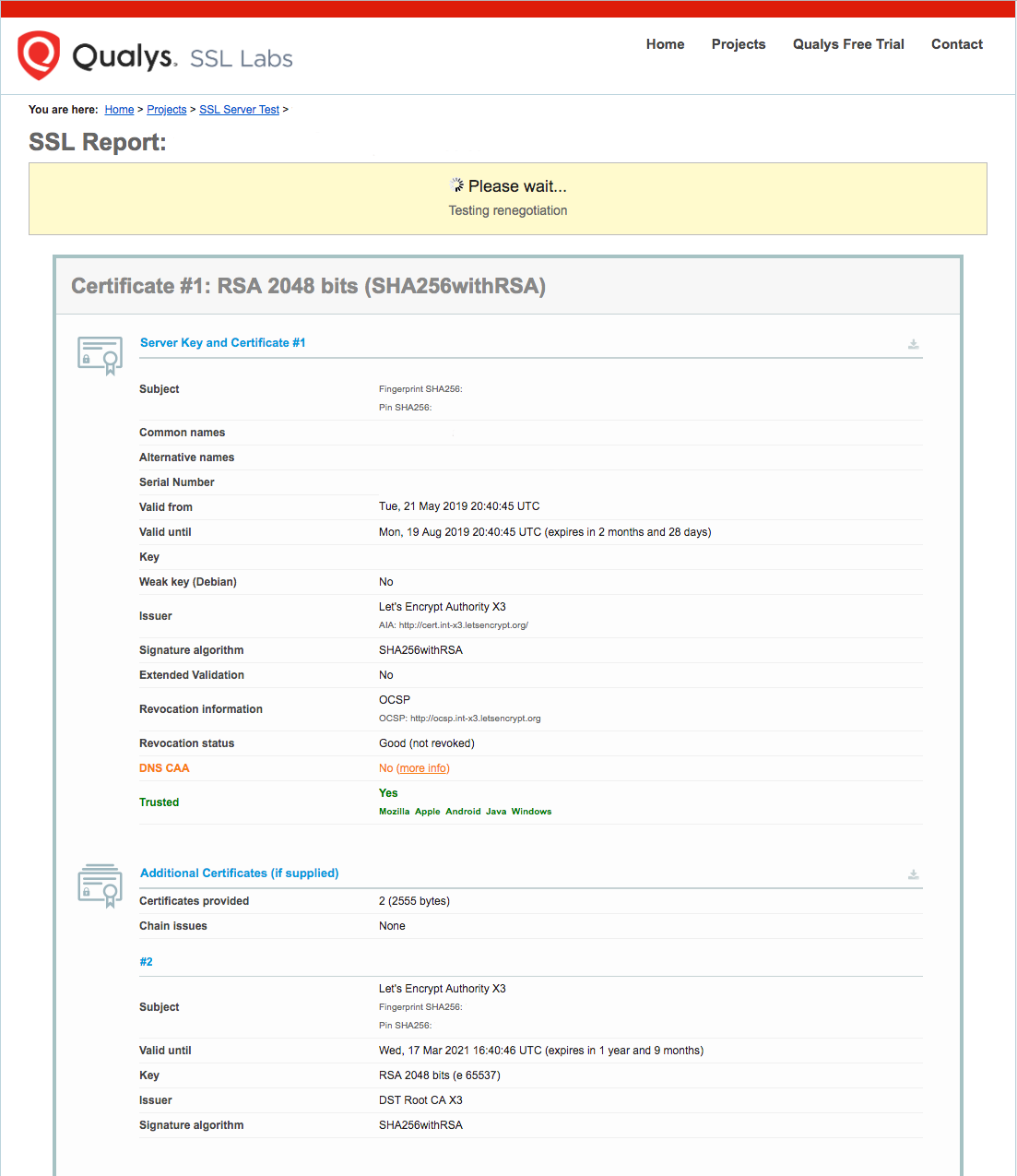
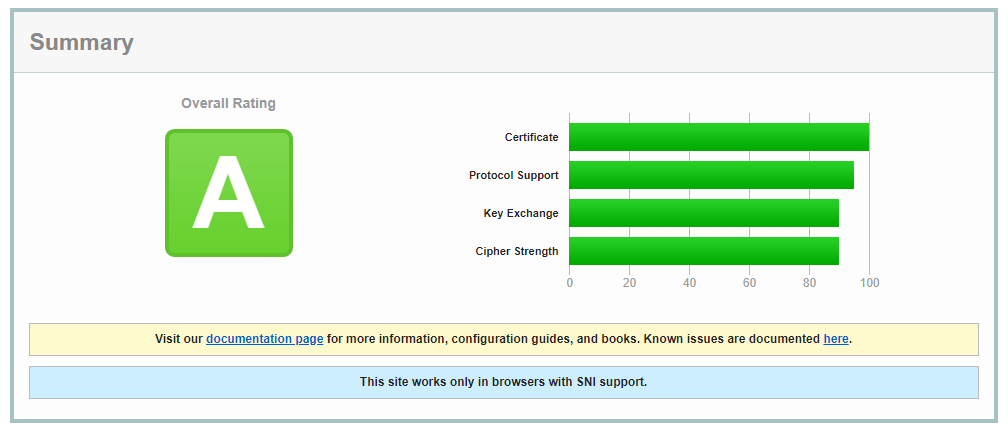
https://www.ssllabs.com/ssltest/analyze.html?d=example.com - You will land on a page that immediately begins testing the SSL connection to your server

- A result page, similar to the one below, will be displayed once the test has completed

Setting Up Auto Renewal
Dry Run Test
- Do a dry run to test renewal with the command below
certbot renew --dry-run - The result should be similar to
Saving debug log to /var/log/letsencrypt/letsencrypt.log

- - - - - - - - - - - - - - - - - - - - - - - - - - - - - - - - - - - - - - - -
Processing /etc/letsencrypt/renewal/example.com.conf
- - - - - - - - - - - - - - - - - - - - - - - - - - - - - - - - - - - - - - - -
Cert not due for renewal, but simulating renewal for dry run
Plugins selected: Authenticator apache, Installer apache
Starting new HTTPS connection (1): acme-staging-v02.api.letsencrypt.org
Renewing an existing certificate
Performing the following challenges:
http-01 challenge for example.com
http-01 challenge for www.example.com
Waiting for verification...
Cleaning up challenges
Resetting dropped connection: acme-staging-v02.api.letsencrypt.org

- - - - - - - - - - - - - - - - - - - - - - - - - - - - - - - - - - - - - - - -
new certificate deployed with reload of apache server; fullchain is
/etc/letsencrypt/live/example.com/fullchain.pem
- - - - - - - - - - - - - - - - - - - - - - - - - - - - - - - - - - - - - - - -

- - - - - - - - - - - - - - - - - - - - - - - - - - - - - - - - - - - - - - - -
** DRY RUN: simulating 'certbot renew' close to cert expiry
**          (The test certificates below have not been saved.)

Congratulations, all renewals succeeded. The following certs have been renewed:
  /etc/letsencrypt/live/example.com/fullchain.pem (success)
Auto Renew
- Open the crontab file
crontab -e - Add the command below to auto renew certificiates
0 0,12 * * * python -c 'import random; import time; time.sleep(random.random() * 3600)' && certbot renew - Save and exit